After completing this lesson, you’ll be able to:
In this lesson, you will:
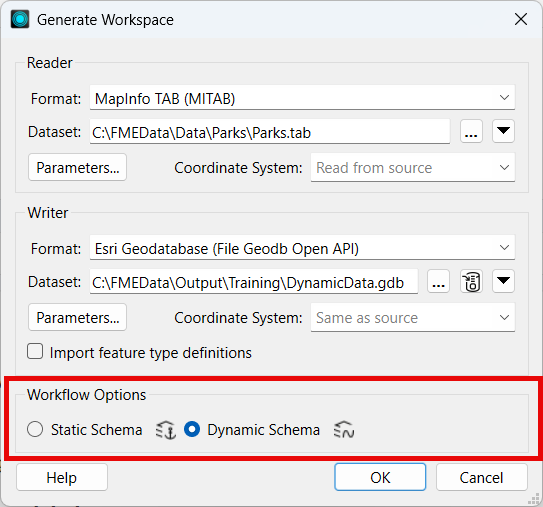
When you create a workspace using the Generate Workspace dialog (Build > Generate Workspace), there are two Workflow Options: Static Schema and Dynamic Schema.
The default option is the static schema, which assumes a fixed schema that FME knows before running the workspace. The Dynamic Schema option creates a schema-less workspace with dynamic readers and writers.
It is, however, possible to create a workspace where only the readers or writers are dynamic.
The Add Reader dialog has similar options for static and dynamic; however, in this case, they are labeled to reflect what they do: they create Individual Feature Types or a Single Merged Feature Type:

A dynamic reader is similar to setting the Merge Feature Type option on reader feature types.
Note, however, that if you add an individual feature type and then check Merge Feature Type, that feature type will still use the individual feature type's original schema. If the other feature types have different attributes, they will be read but unexposed in the resulting features.
The Add Writer dialog has options that let you define feature types and their attributes. The most commonly used ones are Manual and Automatic. There is also an option that adds a writer in Dynamic mode:
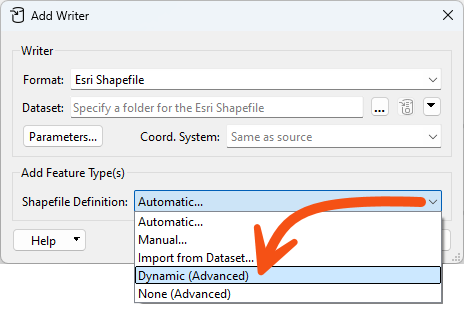
Let's clarify Automatic vs. Dynamic. Automatic attributes take their definition from whatever is connected to them. If the Source Dataset parameter is changed, that change has no effect.
Dynamic attributes are different. If the Source Dataset parameter is changed, the attribute definition comes from whatever source data gets read, regardless of what is connected to it.
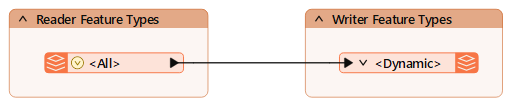
Both dynamic readers and dynamic writers each have a single Feature Type, regardless of the schema of the reader datasets:
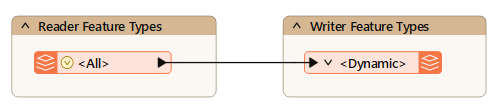
Notice that there is only one feature type, regardless of whether the data comprises several layers or tables.
Also, notice that the sole reader Feature Type is named <All> (which provides a clue to what is happening here) and that the sole writer Feature Type is named <Dynamic>.
FME reads all source data through a single feature type when the workspace runs. On the writer side, although there is only one output type, FME dynamically divides the layers back into their component layers, keeping their original attributes and geometry type.
With this workspace, you can switch the source dataset to anything (in the correct format), and the output will be a mirror image. You don't need to worry about unexpected input or unsupported geometry types. Plus, if you used the Generic Reader/Writer, it could read any dataset in any format and create a duplicate output in the format of your choice!

Sven built a workspace in an earlier course that lets colleagues translate the community map into a format of their choice. It works, but every output dataset carries all of the source table's attributes, and it only ever handles that one geodatabase. He wants a version that accepts any source geodatabase and reproduces its schema exactly.
In this exercise, you will:
Generate Workspace builds the whole translation in one dialog. The Dynamic Schema option is the part that matters here: it is what lets the workspace carry any source schema through to the output.
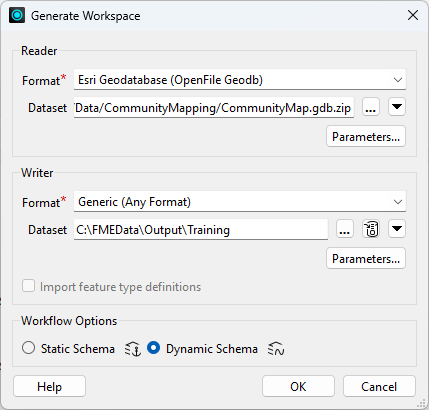
A dynamic workspace looks much smaller than a static one, because a single pair of feature types stands in for every table in the source. Recognising that shape is what tells you the translation is genuinely schema-less.
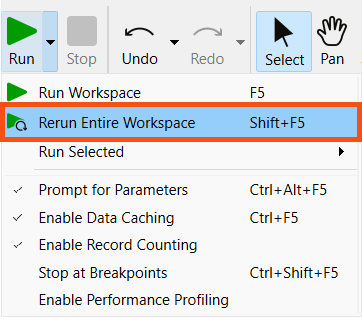
This first run proves the workspace reproduces the community map faithfully. The output should come back in the format you pick, with the source schema intact.
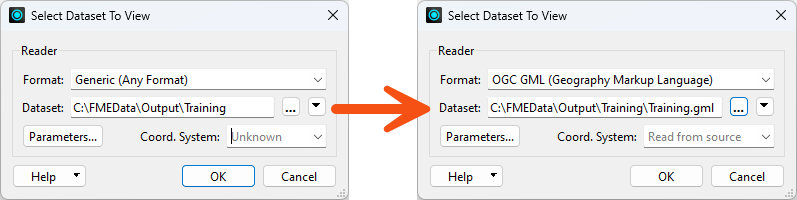
The real test of a dynamic workspace is pointing it at data it has never seen. Swapping the geodatabase without touching the canvas is the whole point of the design.
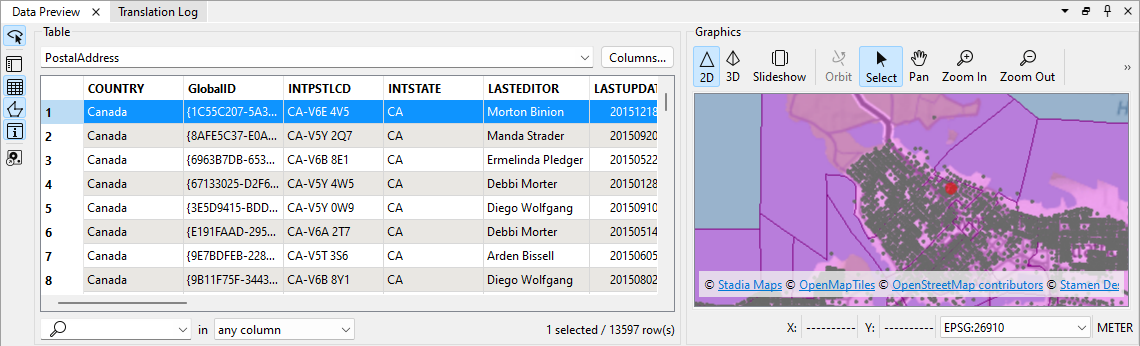
You have built a workspace that accepts any source geodatabase and reproduces its feature types, attributes and geometry in the output, without defining a single schema on the canvas. Swapping the source dataset is now the only change needed to process different data.
